
Shop Titles On Sale
Shop Titles On Sale
Shop Titles On Sale
Shop Titles On Sale
Shop Titles On Sale
Shop Titles On Sale
Olive Tree Account
Log in
Can't Log In?
New to Olive Tree?
Olive Tree Account
Forgot Password
Enter the email address associated with your Olive Tree account to reset your password
Teach the Text
List Price:
$718.79
Sale Price:
$549.99
Save 23%
Available for:
iPad, iPhone, Android and Windows running app version 7.10 and above, or Mac app version 6.10 and above.
Features
Click on a feature to learn more.
The Resource Guide is the most powerful feature in the Olive Tree Bible App. As you read your Bible in the main window, the Resource Guide follows along and displays relevant Bible study information from your study notes, commentaries, maps and more.
Gain knowledge on any passage of the Bible, exactly when you need it. The Resource Guide will let you know when information in this title is relevant to anything in the main window. It will also track along with you as you read through the Bible.
Wondering where that ancient Israelite city is located that you just read about? Check out the map the Resource Guide will find for you, zooming-in or making it full-screen - or both.
Learn more with information displayed in visually-appealing ways. Not sure what charts you have? The Resource Guide will automatically pull up charts from any relevant sources while you're studying.
Get a feel for how books of the Bible are laid out and how your commentaries will be structured. You can also access these from the Resource Guide when it's applicable to the passage you're reading, providing additional context.
Quickly find information about a book of the Bible, its author, date, audience, purpose, and other topics. If you have an introduction to the book of the Bible you're currently reading, the Resource Guide will make it easily accessible for you.
Reading about a person, place, or thing but don't know what it looks like? If this book has an image of what you're looking for, the Resource Guide will let you know. Just glance under "Image," and tap to see the photo enlarged.
Did your resource mention a passage of Scripture, but you can't remember what the verse says? Never fear! Tap the linked verse and a pop-up window will appear, giving you quick and easy access to the verse in context.

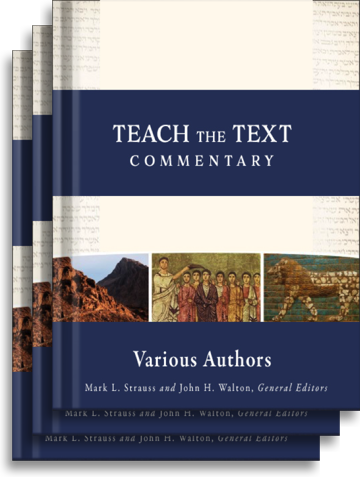
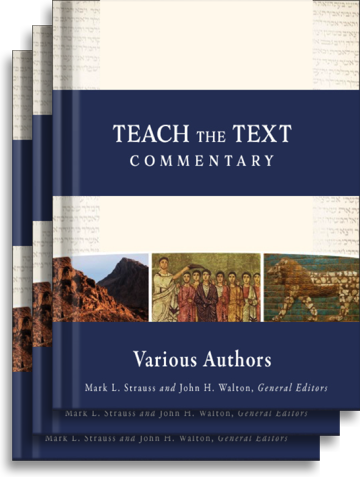
Teach the Text (21 Vols.)
For the Olive Tree Bible App
Publisher: Baker
Teach the Text
Teach the Text (21 Vols.)
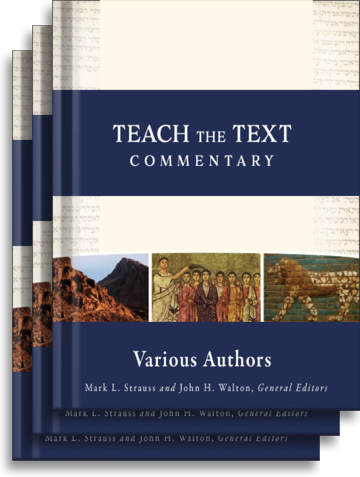
For the Olive Tree Bible App
Publisher: Baker
List Price:
$718.79
Sale Price:
$549.99
Save 23%
Available for:
iPad, iPhone, Android and Windows running app version 7.10 and above, or Mac app version 6.10 and above.
Features
Click on a feature to learn more.
The Resource Guide is the most powerful feature in the Olive Tree Bible App. As you read your Bible in the main window, the Resource Guide follows along and displays relevant Bible study information from your study notes, commentaries, maps and more.
Gain knowledge on any passage of the Bible, exactly when you need it. The Resource Guide will let you know when information in this title is relevant to anything in the main window. It will also track along with you as you read through the Bible.
Wondering where that ancient Israelite city is located that you just read about? Check out the map the Resource Guide will find for you, zooming-in or making it full-screen - or both.
Learn more with information displayed in visually-appealing ways. Not sure what charts you have? The Resource Guide will automatically pull up charts from any relevant sources while you're studying.
Get a feel for how books of the Bible are laid out and how your commentaries will be structured. You can also access these from the Resource Guide when it's applicable to the passage you're reading, providing additional context.
Quickly find information about a book of the Bible, its author, date, audience, purpose, and other topics. If you have an introduction to the book of the Bible you're currently reading, the Resource Guide will make it easily accessible for you.
Reading about a person, place, or thing but don't know what it looks like? If this book has an image of what you're looking for, the Resource Guide will let you know. Just glance under "Image," and tap to see the photo enlarged.
Did your resource mention a passage of Scripture, but you can't remember what the verse says? Never fear! Tap the linked verse and a pop-up window will appear, giving you quick and easy access to the verse in context.
Description

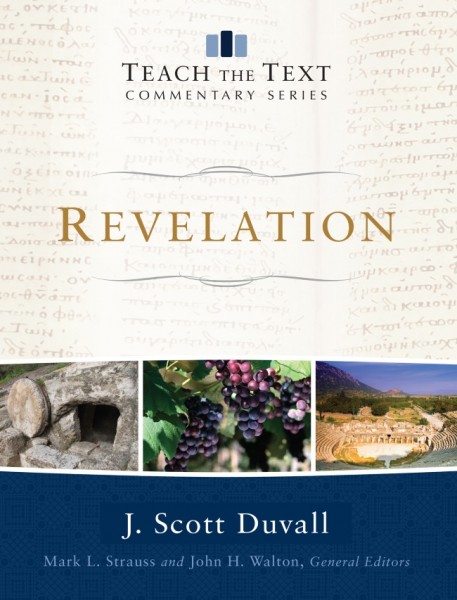
Teach the Text Commentary Series (TTCS) was carefully designed to support the real-life needs of pastors and teachers. With a balanced approach, TTCS simultaneously provides exegetical clarity as well as applicable insights to Scripture. With TTCS, pastors and teachers can quickly grasp Scripture through systematic commentary and seamlessly prepare for thorough, edifying communication of the text.

Overview

Look Inside

Features:

Big Idea & Themes: For each unit the commentary identifies the primary idea as well as supporting themes.

“TTCS1”

Understanding the Text: This section focuses on the exegesis of the text through context, outline, historical & cultural backgrounds, as well as interpretive and theological insights.

“TTCS2”

Teaching & Illustrating the Text: Guidance for effective communication is provided through application and illustrations carefully tied to the themes and context of the passage.

“TTCS3”

List Price:
$718.79
Sale Price:
$549.99
Save 23%
Available for:
iPad, iPhone, Android and Windows running app version 7.10 and above, or Mac app version 6.10 and above.